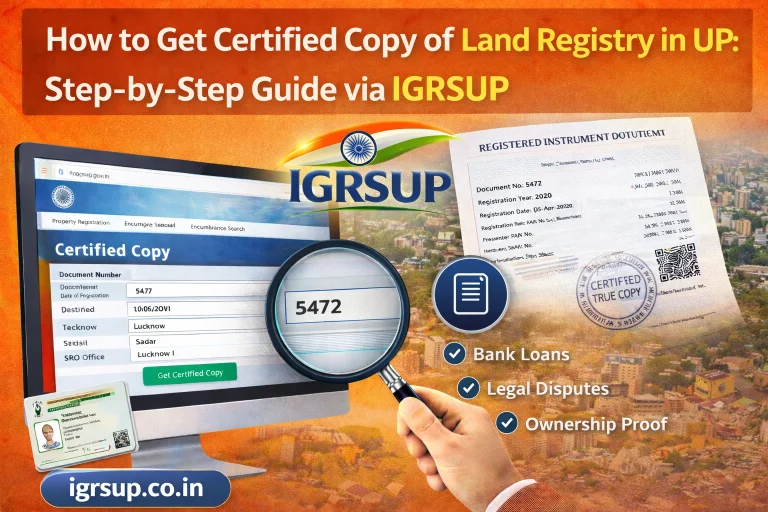
How to Use IGRSUP Portal for Property Registration in Uttar Pradesh – Step-by-Step Guide (2026)

If you are buying or selling land in Uttar Pradesh (UP) or transferring property to a family member, the IGRSUP portal makes property registration simple and digital. In earlier years, people had to make multiple visits to registry offices, deal with long queues, and wait for hours. Now, much of the process can be done online — including deed preparation, stamp duty calculation, payment, document upload, appointment scheduling, and even downloading certificates.
This guide explains how to use the IGRSUP portal for property registration step by step. It’s written in simple language so even a new user can complete the process with confidence.
What Is the IGRSUP Portal?
IGRSUP stands for Inspector General of Registration, Uttar Pradesh.
It is the official government portal that lets citizens do almost all major property tasks online. These include:
- Creating a login account
- Preparing deeds
- Calculating stamp duty
- Paying fees
- Uploading documents
- Scheduling appointments with the Sub Registrar Office (SRO)
- Downloading registration certificates
The link you will use is:
👉 https://igrsup.gov.in
Why Use the IGRSUP Portal for Property Registration?
Before we get to the steps, here are some reasons why this portal is so useful:
- You can start the process from home or office.
- It reduces errors with automatic calculations.
- You get digital proof of payment.
- It speeds up the overall process.
- You can track the application status online.
Now let’s begin the step‑by‑step process.
Step 1 — Visit the Official IGRSUP Website
Open your web browser and type in:
👉 https://igrsup.gov.in
You can switch language to Hindi or English from the top of the page if needed.
This is the central portal for all UP stamp and registry services.
Step 2 — Create Your Account (New User Registration)
If you are registering property for the first time, you must create an account.
Look for “New User? Register Here” or similar wording.
You will be asked for:
- Full Name
- Mobile Number
- Email Address
- District & Tehsil
- A password
Make sure your mobile number and email are working because you will receive an OTP for verification.
Once you verify the OTP, your account will be created.
After this, note down your application number or user ID. You will need it later.
Step 3 — Log In to Your IGRSUP Account
Go back to the homepage and click “Login”.
Enter:
- Your registered mobile number or email
- Password
- Captcha code
Click “Submit”.
Once you log in, you will see your dashboard.
This dashboard is your hub for all property services.
Step 4 — Start Property Registration
On your dashboard, look for “Property Registration” or “Registration Services.”
Click that link to begin.
You will be taken to the registration form.
This form will ask for property and transaction details.
Step 5 — Fill in Deed Details
This is a critical step because these details appear in the final registered document.
Typical details include:
- Buyer’s name and details
- Seller’s name and details
- Address of the property
- Sale consideration (price)
- Property type (residential, agricultural, commercial)
Make sure every field is accurate. Incorrect data may cause delays later.
Step 6 — Upload Required Documents
You must upload scanned copies of essential documents. Typical required documents are:
- ID proof (Aadhaar, PAN card, passport if available)
- Address proof
- Sale agreement or previous deed
- Encumbrance certificate (if needed)
- Passport‑size photographs
Files must usually be in PDF or JPEG format and under the maximum allowed size.
The portal will tell you if the format is acceptable.
Once you upload, double‑check the files before proceeding.
Step 7 — Calculate Stamp Duty and Registration Fee
After submitting the form and documents, the portal will calculate:
✅ Stamp duty
✅ Registration fee
✅ Other charges
These are based on:
- Property value
- Location (district/tehsil)
- Type of property
The portal uses the official circle rate list to calculate stamp duty.
You will see the total amount you need to pay.
Step 8 — Make Online Payment
You can pay using:
- Net banking
- Debit/Credit card
- UPI
- Other supported payment methods
Once the payment is complete, the portal generates an e‑receipt or e‑stamp certificate.
Save this for later. It is a key part of the registration process.
Step 9 — Schedule an SRO Appointment
After payment, you need to schedule a visit to the Sub Registrar Office (SRO).
Select:
- Preferred date
- Preferred time
- SRO location
This visit is essential for biometric verification and final confirmation.
Both buyer and seller usually must appear at the SRO.
Step 10 — Visit Sub Registrar Office
On the scheduled date:
✔ Carry original documents
✔ Carry your e‑stamp receipt
✔ Bring your ID proofs
✔ Be ready for biometric verification
The registrar will check:
- Fingerprints
- Photographs
- Document copies
Once verified successfully, the registrar will finalize the registration.
Step 11 — Download Registered Certificate
After approval at the SRO, the portal will generate a Registered Instrument Certificate.
Log in again and go to:
👉 “Download Registered Documents”
You can download:
- Final registered deed
- Encumbrance certificate (if applied)
- Other related documents
Save a copy on your device for future use.
Common Issues and Quick Fixes
✔ Login Issues:
If your password is forgotten, use the “Forgot Password” link and reset via OTP.
✔ Document Upload Problems:
Make sure the file size is within limits and file type is accepted (PDF/JPEG).
✔ Payment Failures:
Check internet connection. Try another payment method if one fails.
✔ Appointment Date Not Available:
Slots may fill up quickly — try early morning or different SRO centers nearby.
Tips to Avoid Mistakes
- Always use official portal only: https://igrsup.gov.in
- Double‑check entries before submitting
- Keep original documents ready
- Save all acknowledgment numbers and receipts
- Take screenshots if needed
Why This Process Is Important
This online registration process ensures:
- Legal recognition of property transfer
- Protection from fraud
- Official record in government database
- Proof of ownership for banks or legal purposes
Conclusion
Using the IGRSUP portal for property registration in Uttar Pradesh means fewer visits to government offices and more control over your property process. The online steps are secure, transparent, and designed to guide you from start to finish.
Whether you are a first‑time home buyer, seller, or property owner, this step‑by‑step guide empowers you to handle the entire process confidently.